Showing posts with label clubs. Show all posts

Thursday, 28 May 2026

A New SailEvent App for PROs

It’s championship time in the Northern Hemisphere. And where there’s a championship there’s usually a Principle Race Officer making sure the event goes well. 

Enter the SailEvent PRO App.

Positioned between the main SailEvent club app and the race team app, PRO provides a set of functions for management in the run up to and during an event: 

  • Immediate access to the entry list and notice board.
  • Pin items to the notice board.
  • Publish Notices to Competitors.
  • Review and modify sailing sessions.
  • See what’s happening today in terms of who’s signed afloat and who’s ashore. (But only if you use eTally; if you rely on old-school rubber bands, sorry, can’t help you.)
  • Set protest time limits.

The link to the app is in >Settings >Apps, help is in >Help and we’d really appreciate your feedback on this one. Do we have the mix of functionality right – anything missing, anything not needed, tweaks required? 

Looking forward to hearing from you. 


Wednesday, 1 April 2026

L over One is flying...

A well organised Official Notice Board makes life easier for both you and sailors. This article is about positioning documents on your SailEvent virtual ONB with particular attention to changes to sailing instructions. 

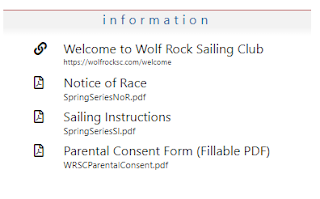
Let’s start with a quick recap on the board’s Information section. It can contain some or all of –

  • Documents, such as the Notice of Race and Sailing Instructions, that are often, though not necessarily, drafted by the organisers.;
  • Links to other web pages – perhaps a weather station, a Welcome video, an invite to join a WhatsApp chat. The opportunities are boundless.
  • A set of hearings-related forms – protest form, request for redress, time limits, etc.

They are all listed sequentially on the board; each opened with just one tap or click. 

Getting that sequence right is key. Each item in the list has a Display Order – a single character 0-9 or A-Z. Items are listed in display order sequence (numbers before letters). If more than one item has the same display order, they are listed in alphabetical order within their display order. Blank display orders (the default) come last.

So what does this mean for your ONB?

You probably want the most important documents to appear first, that’s usually the Notice of Race and the Sailing Instructions, so give them display orders, say, 1 and 2 respectively. Or A and B, the choice is yours.

Next up, amendments to the SIs. We recommend that you publish them as documents in their own right, not as Notices to Competitors but see below.

Give them all display order 3 (or C) and then, and this is important, name them consistently with their number as part of their name. For example Amendment to SIs No. 1, Amendment to SIs No. 2 and so on, or Change to the Sailing Instructions 01, Change to the Sailing Instructions 02, etc. 

What we are aiming for is something like this

ONB Change to SIs

However, when you publish a change to the SIs, you need to inform the competitors. A good way to do that is to take the option of automatically issuing a Notice to Competitors. The notice appears on the ONB and competitors are informed by text or email. But you still need the hoot and the flags!

Hearings forms all have display order H  so they naturally appear in about the middle with plenty of room before and after, above and below, for your own stuff. 

It’s easy to adjust display orders and item names so experiment and juggle things around to get the best look. In your SailEvent club app, it’s >Notice Boards from the menu then the docs and links tab.


Sunday, 15 March 2026

Protest!! Announcing SailEvent Hearing Management

Port and starboard
Sailing is a self-policing sport and the long arm of the RRS law is the protest form. It’s often said that in club racing nobody reads the Sailing Instructions and nobody protests but, as you climb the ladder via open meetings and championships to the top, so the number of protests increases reaching, at times, dizzying heights.

But, at whatever level, sailors have the right to protest, or request redress, when they believe they have been wronged. The process starts with requesting a hearing and continues until a decision is published and, when warranted, scores are updated.

That’s where SailEvent Hearing Management comes in. It takes hearing requests through the flow from form submission, via initial vetting, scheduling hearings and notifying parties, to recording and publishing decisions. All online and all with the minimum hassle.

Starting with the Racing Rules of Sailing Part 5, Hearing Management adds Rule 42 and combines them with SailEvent data for maximum effectiveness. 

Here are just some of the features 

  • Online protest and request for redress forms readily available on the virtual ONB.
  • Initial vetting to filter out, for instance, results queries and invalid requests.
  • Hearings scheduled to time and place, published on the ONB and all parties informed by text or email.
  • Decision recording and publication.
  • Scoring update checklist.

RRS Part 5 underwent a complete rewrite for the 2025-2028 edition. Its implementation in SailEvent has been thoroughly tested during 2025 with events up to European Championship level. However the Racing Rules of Sailing are always subject to interpretation in the light of experience and even personal preference. Consequently the SailEvent development team is open to all suggestions for improvement and fine tuning so, please, try this exciting new feature and let us have your feedback.


Tuesday, 27 January 2026

Kicking off 2026 with a new version of the Race Team app

Our first post of 2026 and there are exciting developments in store for SailEvent. We are kicking off with a new version of the Race Team app.

First a quick recap. As its name suggests, the app is an aid for Race Officers and their colleagues to use on the day. It tells them who to expect on the start line and whether they are safely ashore. The app can publish the course, keep track of patrol boats and manage the day in terms of times and races run. It works equally well on phones, tablets and computers.

The update includes minor changes such as rationalising the tab order and cosmetic improvements, but the major new features are:


Fleet Summary

The app now opens with counts of sailors by fleet so you can see straightaway how many to expect on the start line.


After racing, you can see at a glance if all are safely ashore.


Safety Check

It’s now even quicker to see exactly who, hopefully no one, is unaccounted for. Choose Safety from the Select (was Sort) drop-down.

Tap a name to bring up their details, most likely including their mobile. On a phone, tap their number to give them a call...

“Hello Jim, where are you? “

“Nearly home”

“ (inaudible) “

...and stand down the RIBs.


New eTally Icons

Feedback suggested they could be clearer so now we have

A round symbol means the sailor eTallied him or herself. Round = they go round the course? Square means marked off by the race team. I’ll leave you to devise with your own cue!


The new RT app is available now. Instructions for use are in app, get started via the >Help menu and, as soon as the Northern Hemisphere weather allows, please give it a go and let us have your feedback.


Monday, 15 December 2025

A Sailwave Hack for Christmas

That’s ‘hack’ in the sense of something ingenious, if unorthodox, that you do on your own computer to achieve some benign end, NOT a nefarious and malicious action by a baddie. 

And this benign hack doesn’t actually affect Sailwave itself. And it’s more for the Spring, when Northern Hemisphere sailing gets going, than Christmas. 

But otherwise there’s nothing wrong with that title at all. 

This story concerns the SailEvent Import App for Sailwave. The app runs on your computer alongside Sailwave and lets you load entry lists directly from SailEvent into a Sailwave series, then keep them synchronised, all without any intermediate files. It works well.

From the outset, the app was intended to run as a Sailwave plugin but, understanding that Sailwave could not implement that immediately, we provided a front-end to identify the target Sailwave file.

Nevertheless we contacted Mr Sailwave, who we know well, with a view to implementing it as a proper plugin. This is where we, or to be precise I your correspondent, shot ourselves in the corporate foot by pointing out that, as plugins are a fertile ground for Sailwave extensions, why not add identifiable apps  to the plugin menu automatically. Mr Sailwave agreed. It hasn’t happened yet so our app remains unplugged but it will do soon, won’t it, Jon?!

Meanwhile here’s the hack to add the SailEvent Import App as a Sailwave plugin. It revolves around replacing an existing plugin that you don’t use – let’s go for Send Competitors to RRS.org. Proceed as follows.

1. Install the latest version of the Import App from SailEvent’s >Set Up >Integrations page.

2. Locate SEImport.exe in your computer’s file system. This is not as easy as you might think! If a basic file search doesn’t find it, try this:

2.1 Open the Import App in Windows.

2.2 Open Windows Task Manager and find SE Import on its Processes tab.

2.3 Right click it and choose Open file location.

3. When you’ve found it, copy SEImport.exe and Newtonsoft.Json.dll into your Sailwave installation folder. That’s usually at C:\Program Files (x86)\Sailwave.

4. Now the hack – rename SWRRS.exe to, say, realswrrs.exe, then rename SEImport.exe to SWRRS.exe.

5. Open a new Sailwave series, select Send Competitors to RRS.org from the Plugins menu, and the Import App opens ready for you to connect the Sailwave series to its corresponding SailEvent event 

To remove the hack either undo the renaming or reinstall Sailwave.


   ðŸŽ„🎄🎄🎄🎄🎄🎄🎄🎄🎄🎄🎄🎄   

Season’s greetings from the SailEvent team and we look forward to working with you in 2026.


Tuesday, 25 November 2025

What do you mean, it's not in class?

This post is a light-hearted rant about sailing’s lax terminology. 

Starting with “sailing”! Is it pottering or is it racing? For our purposes, it is that activity governed by the Racing Rules of Sailing excluding Appendices B, C, D and F. Obvious when you think about it!

More significantly, what’s a “class”? Is it a) a group of similar boats racing together, b) a type of boat such as a Solo or an Optimist, or c) an organisation representing a type of boat? All three are used from time to time. 

And what, in the sailing world, is the name for that which others might call a competition. Candidates include series, regatta, meeting, open, championship and so on; even just “racing” as in evening racing. Each  has its own subtle meaning but it would be helpful if there were one generic term that covers them all. Fortunately the RRS seems to have come to our aid. Prior to the 2020 edition it used the clumsy race or series. Subsequently it’s been (mostly) event even if an event happens to be a series! 

Does this lack of uniformity matter or is it all part of the charm and mystique of our idiosyncratic yet wonderful pastime? The trouble starts when computers get involved (always the way, I hear you say). Computers like to have the same name for the same kind of thing wherever it is used. Actually, with a bit of effort, this can be worked around – take Sailwave and its variable column headings. The major issue is with documentation – how to describe processing a class when class means different things to different people? 

SailEvent’s approach is to align, more or less, with Sailwave. So a class is a set of boats with the same design, either identical or conforming to a rule – Optimist, ILCA7, Fireball, J70. A fleet is a set of boats competing against each other, either all of the same class – a one-design fleet – or a mixture of classes – a handicap fleet.

When one or more fleets compete on one or more related occasions, SailEvent is with the RRS – that’s an event. It’s an event in HalSail too but a series in Sailwave. Ho hum.

Terminology is something of a hobbyhorse for the SailEvent team – we touch on it elsewhere - because we believe it’s important. Way back the RYA convened a meeting of sailing software developers and, among other things, asked us to address this very issue. It hasn’t happened! What do you think? There’s a comments box below...


Wednesday, 26 February 2025

Seven Good Reasons For Using SailEvent - Part 4 of 4

We've already looked at knowledge, consistency, adaptability, communications, automation and integration. Now the grand finale...

No 7 It’s expected!

SailEvent is end-to-end phone friendly because today’s sailors expect to access the world on their mobile. And that’s good for event organisers too because, via SailEvent, they have a direct line to virtually all participants.

The policy is phone-first because that’s where over half of all web requests originate. Yet SailEvent is equally at home on tablets, laptops and desktops. 

With SailEvent you can do everything from putting your name down for club racing to running a world championship, all on that ubiquitous little device.

And a bonus reason - it’s free!

SailEvent’s Basic subscription tier is completely free yet provides all the functionality needed by many clubs and classes. It is limited only by capacity. 

That means it’s easy to get started with Basic SailEvent then upgrade as your usage grows.


Register 


Tuesday, 18 February 2025

Seven Good Reasons For Using SailEvent - Part 3

Knowledge, consistency, adaptable, communications and now...

No 5 Automation

Tell SailEvent to do the boring stuff and it keeps on doing it. That leaves your volunteers free to concentrate on more important matters.

SailEvent accepts entries, sends confirmations, reminds competitors that there’s sailing today, puts up, takes down and collates signing sheets, and even pins the course to the notice board.

No 6 Integration

SailEvent works with a portfolio of services and applications to bring you the best possible software experience.

Jotform for building custom entry forms,

Stripe for collecting entry fees.

Sailwave and HalSail for results publication,

Yachts & Yachting for publicity 

and more...


Next up, the grand finale...


Monday, 10 February 2025

Seven Good Reasons For Using SailEvent - Part 2

Last time we looked at how SailEvent provides insights and supports the implementation of consistent event management.

Here are two more good reasons for choosing SailEvent.

No 3 Adaptable

No two sailing events are the same! 

Sailors are an ingenious bunch and devise many variations on the standard theme. All sailing events (probably) all have an entry list, races, winners and losers but the devil is in the detail. That’s why SailEvent can be configured for all known eventualities, and most likely some as yet unknown too. So, for everything from what goes on the ONB to how many meal tickets, SailEvent has it covered.

No 4 Communication 

Configurable virtual ONBs, Notices to Competitors, reminders that sailing is on today, entry confirmation... 

Email, text and push notifications mean it’s never been easier to keep in touch with competitors. SailEvent leverages today’s technology to keep competitors informed promptly and efficiently.


Good Reasons 5 and 6 coming soon...


Monday, 3 February 2025

Seven Good Reasons For Using SailEvent - Part 1

In the temperate zones of the northern hemisphere, where a lot of sailing goes on, plans for the 2025 season are turning into reality. Here are seven good reasons why your club or class association should choose SailEvent to help your sailing programme run smoothly.


No. 1 Knowledge

Know who has entered, who is sailing today, who has finished sailing. No more spreadsheet hell and undecipherable paperwork. 

It’s all down to SailEvent’s single, central entry list held securely in the cloud. Multiple views and multiple access levels control its availability yet it’s the one and only place that holds all data for all competitors – up to date, secure, backed-up and available 24/7. 


No. 2 Consistent

SailEvent provides a repeatable, reliable yet flexible way to managing all events.

Implement your club or class methodology so that it is consistently applied from club racing to championships. Volunteers may come and go but ground rules defined in SailEvent remain the same. Established your way of working, SailEvent applies it to every event.


Two more good reasons coming soon...

Monday, 14 October 2024

Digital Event Posters

You’ve got your open meeting organised, volunteers lined up, NoR and SIs thoroughly checked, band booked. Now all you need are competitors.

The traditional way to spread the word was via paper posters pinned to noticeboards. Who knew who reads them and how effective they were.

SailEvent digital posters are the digital alternative for quickly reaching a wide audience via links on club and class websites, in emails and texts, and through social media.

Simple to create, easily distributed and with the entry form and other key information only a click away. Here’s an example:


Words, colours and images are all customisable and there can be up to seven action buttons giving instant access to

  • Entry form
  • Entry list (always complete and up to date)
  • Notice of Race
  • Sailing Instructions
  • Official Notice Board
  • Results
  • Any additional information

Set up is in the new Posters section on the Events page. 

A list of posters in date order is an event calendar. That’s the topic of our next blog post.

Tuesday, 10 October 2023

Kiosk – The Nuts and Bolts and Woodscrews

The challenge – how do you make an app on a tablet computer available to several hundred people daily without them breaking it, stealing it, powering it off, switching it to another app?

The solution – inexpensive hardware and software, and woodscrews.


The venue for Chichester Harbour Race Week with its near 400 competitors is Hayling Island Sailing Club. HISC, like many a club, has a traditional outdoor wooden notice board. Originally the official notice board, but now largely superseded by online equivalents, it is remains the home of paper signing sheets.

That was clearly the place for two tablets – one for each race group.

We used Lenovo Tab M10s – 10 inch tablets running Android 11: good quality, reasonably priced and, importantly, with plenty of battery power. We installed Kiosk Browser, a mobile device manager, to run the eTally Kiosk app in Chrome.  Kiosk Browser hides most (though not quite all) Chrome and Android functions from inquisitive tappers. We applied screen protectors – thin sheets of glass – to both devices.

Connectivity came via a MiFi device in a box in an adjacent indoor area which just happened to be the snack bar.


We screwed a pair of security wall mounts to the notice board adjacent to where the paper signing sheets go.


A tablet powered on, clamped in position and ready for customers.

(Reconstruction!)


We’d previously briefed all competitors by email. We sat back and waited.


They took to it like the proverbial ducks to water!


I don’t know who these two gentlemen are but thank you, you look the part.


Was it perfection all the way? Not quite!

The card taped to the top of each tablet not only tells people which to use but also prevents them pulling down the Android settings and causing havoc.

The tablets on/off button needed a couple of millimetres headroom under the security clamps. One enthusiastic tapper managed to slide a tablet up enough to power it off.

A more strict implementation of Kiosk Browser will fix both of those issues.

Finally, the call went out that neither tablet was working. On investigation this was because they weren’t connected to the internet. You remember that the connectivity came via the snack bar? It turned out that someone had, entirely innocently, placed a tray of Coke cans on top of the box of tricks. Problem soon resolved!


So overall, a great success. Lessons were learned, the main one being that eTally Kiosk is a valuable addition to the SailEvent safety portfolio.


Wednesday, 4 October 2023

Kiosk - in at the deep end!

With an entry list of nearly 400 in a wide variety of boats, an equally wide variety of abilities and in tidal waters, Chichester Harbour Race Week has to work hard on competitor safety.

Sailing Club Software provides IT support for the event and a big part of that is keeping track of who is on, and safely off, the water. Way back that meant manually comparing multiple paper signing sheets - slow and error-prone.

More recently we’ve used eTally by phone – a great improvement that enables the Safety Officer to wrap up so much more quickly. Nevertheless paper signing sheets were retained for the small minority who couldn’t, or wouldn’t, take the technology route.

This year we introduced eTally Kiosk in the expectation it would prove an acceptable alternative for that minority. The paper sheets were still there and right next to them was Kiosk. (We’ll talk about the mechanics of that in the next post.)

When introducing new technology you can never tell whether it’s going to sink or swim. It’s was gratifying to discover that for Kiosk it was very much the latter! 


Competitors of all ages got the hang of it straight away and thought it was a great idea. 

The number of paper signers went from a diehard handful on day 1 to zero on the final day.


Post-event analysis showed that overall competitors were 60/40 in favour of eTally by phone. That was 70/30 at eTally afloat time shifting to almost exactly 50/50 for eTally ashore. You can see how that makes sense.


So a highly successful first outing for Kiosk and, most importantly, all competitors were accounted for, and the safety team stood down, in record time. Mission accomplished.


Friday, 29 September 2023

Introducing eTally Kiosk

In our previous post we looked at why tallying is an important factor for competitor safety, and how eTally by phone is a logical progression. Now we are introducing eTally Kiosk - a new way for competitors to sign afloat and ashore.

Think of Kiosk as a communal, shared version of eTally by phone, available on a tablet computer strategically positioned in your clubhouse.

Before racing, competitors walk up, identify themselves, say they are sailing, make way for the next person.

Once ashore, it’s the same but they can also declare whether they finished, or not.

Here’s the process in pictures


1:
Identify  2:Confirm  3:eTally  4:Next person


Kiosk doesn’t replace eTally by phone, the two coexist and people can mix and match as suits them best.

It runs in any web browser and on any internet connected device but is targeted at touch-screen tablets. Chrome on a 10 inch Android tablet is a good bet.

Looking for an event to give Kiosk some serious beta testing, we decided on Chichester Harbour Race Week at Hayling Island. 400 competitors over a 5 day regatta should be tough enough!

And how did it go? Very well indeed. The competitors loved it and the kit was trouble free.

Or to be precise, very, very nearly trouble free! The gory, and amusing, details will be revealed in a subsequent post.

Meanwhile, Kiosk is available for you now. See the eTally Kiosk Help topic for how to use.


Sunday, 24 September 2023

Tallying – Traditional Technology: Updated

 I counted them out and I counted them all back in again.”

This famous quote from a Falklands War reporter sums up a simple technique that’s long been used to account for people, livestock, any items that depart and are expected to return.


To this day counting competitors is a mainstay of sailing event safety management: you know who has gone afloat and you know who has come back. If the two lists don’t match then search procedures kick in.

The familiar tally board works well when competitors are known, controlled and relatively few in number. When you have a long entry list and can’t be sure who is going to turn up, or you need them to declare whether, or not, they sailed the course, then signing sheets are the way to go. But then you have the problem of comparing scribbles!


SailEvent eTally replaces signing on paper with everyday technology – mobile phones. 


Then the clever thing is that SailEvent collates and compares, in real time, the lists of those who went sailing with those who have returned. Any discrepancy is immediately obvious.

These screenshots are from the SailEvent Race Team app taken during the ‘Admirals Cuppa’, an invitation event for illustration only!


Now apply the all important afloat but NOT ashore filter and where’s Rodney!?

Time to start looking for him.


In this blog post we’ve shown how SailEvent’s eTally feature brings today’s thinking to traditional tallying.

In our next post we introduce a new, connected alternative to eTally by phone.

Wednesday, 9 March 2022

Notices to Competitors

In that mythical ideal world there is no requirement for communication between race management and competitors until the warning signal. Everything is in the Notice of Race and the Sailing Instructions. What more is needed? What could possibly go wrong?

The answer is of course, as we all know, lots of things from typos in the SIs, to Racing Abandoned due to unforeseen circumstances, to bar open all day. There is always a need for an open line of communication between race officers and racers.

The traditional way is sheets of paper on the notice board and flags flying from the club flagstaff. Quaint but not much use when the competitor is still at home having his breakfast. And he’s not going to be best pleased when he drives all the way to the club only to find N over A flying.

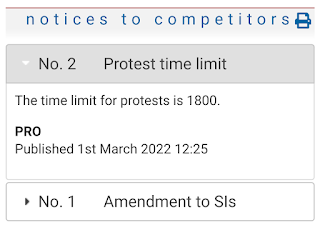
SailEvent virtual notice boards have the solution. Type in your notice to competitors, it appears on the board and everyone on the entry list is notified by email or text. Notices are automatically numbered and time stamped.


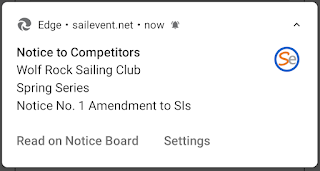
What’s more, those who have enabled notifications are pinged on their phones. 


So there you have it, SailEvent virtual notice boards offer a simple technical solution that makes the RO’s life easier and provides a better experience for competitors. Your communication channels are open.


Monday, 14 February 2022

Notice boards - they're about communication

The purpose of notice boards, whether real or virtual, is to convey information from race management to competitors.

Documents are the bedrock of this information. The Notice of Race and the Sailing Instructions are the big players but there are others such as safety information, parking arrangements, bar opening times.

And in our electronic era, much information may well already be on the web, perhaps on your club website, so there is no need to actually ‘pin’ a notice to the board – just provide a link to it.

On SailEvent virtual notice boards, documents are PDF files uploaded from your computer. There are many ways to create PDFs such as saving word processor documents in that format or printing to PDF. The big advantage of PDFs is that they are not easily modified by the reader.

Links on virtual notice boards are simply URLs of web pages or other files on the web. An easy way to get them on a board is to open the page or file in your browser, copy its URL from the address bar and paste it into SailEvent. Notice board links always open in a new browser tab.

You can also compile a library of frequently used documents and links then just pull them from the library onto the notice board. You can even say that some items in the library – perhaps those safety instructions, car parking arrangements, bar opening times – must appear on every notice board.

So apart from the obvious, what else might you put on a board? Here are some ideas –

  • Forms – parental consent, menu choices, results queries.
  • A Welcome video.
  • An invitation to join the event’s WhatsApp group.
  • A link to your club’s or the event’s online shop.
  • Links to class associations.

In short, it’s about communication - if you want to tell the competitors, put it on the board.

Build your list of documents and links at >Notice Boards. Your library is at >Admin >Docs & Links Library.


Wednesday, 26 January 2022

Add some colour

SailEvent Themes let you add colour and images to your virtual notice boards.

There are three colours in each theme and up to two images. Here’s a less than subtle example but it does serve to illustrate the components of a theme.

Red is the border colour, blue is the text colour and grey is the background colour. This example has two images, left and right, but you can omit either one or both.

Every SailEvent account comes with a Default theme which is applied to new notice boards. Out of the box the default theme is simply black and white with no images but you can modify yours to, for instance, reflect your club’s colours and add a burgee. You can also create your own themes for specific events or series. Maybe include a sponsor’s logo or a class insignia.

Theme colours can also be applied to SailEvent entry forms. Most likely you’ll want the same theme for both notice board and entry form but they can be different.

Themes are maintained at >Admin >Themes and are applied to notice boards on the Notice board page and to entry forms on the Competitions page. Go ahead and be creative but, please, not too garish!


Tuesday, 7 December 2021

‘Tis the Season to be Jolly

And here’s your invitation to participate in a jolly Christmas event organised by the North Pole Yacht Club. The Official Notice Board and entry form are at https://sailevent.net/noticeboard/r1

Not only is this a bit of festive fun and silliness it’s also an opportunity to showcase the new SailEvent Virtual Notice Board.

The advantages of notice boards on-line are pretty clear – available, adaptable, interactive, all the good things you expect from the web - and clubs and classes are beginning to construct them on their own sites. Now SailEvent provides a no-code solution that lets you quickly and easily design and create your own virtual notice board that’s just right for sailors. And there's no need to trouble your webmaster!

What’s on the board:

Documents such as Notice of Race, Sailing Instructions and your own forms.

Links to useful information on the web – directions to the venue, Racing Rules of Sailing, invitations to join WhatsApp groups – the opportunities are boundless.

Notices to Competitors that are automatically published to entrants by text, email or push notification.

Hot links to the entry form and results page.

Customisable look and feel – create your own colour schemes and add images.

And that’s only version 1; there’s more to come. The boards will be available in the New Year but please do take look at this seasonal preview now and send us your comments and feedback. And enter the event – Santa needs you!


Wednesday, 13 October 2021

HalSail Import plus Class List Auto Add

Here’s a goodie for all you HalSail users – you can now import boats directly from a HalSail series into a SailEvent competition. That means you no longer need to download a file from one system and upload it into the other.

This is how it works

If you haven’t already done so, set up HalSail integration so it can communicate with SailEvent. (5 mins)

Link your SailEvent competition to its equivalent HalSail series. (30 secs)

In your SailEvent competition, on its More tab, press the Import button and that’s it – your HalSail boats are now SailEvent competitors. (10 secs)

If you make changes in HalSail just import again and everything is in synch.

What’s more, with the new class list Auto Add feature, you don’t need to list all your classes in SailEvent before importing. Just create an empty class list, set it to Auto add and, at import time, it is populated with your HalSail boat types. 

And naturally class list Auto Add also works with any set of competitors that you upload from an external source.

So that’s two more ways that SailEvent speeds and improves your sailing event management.